
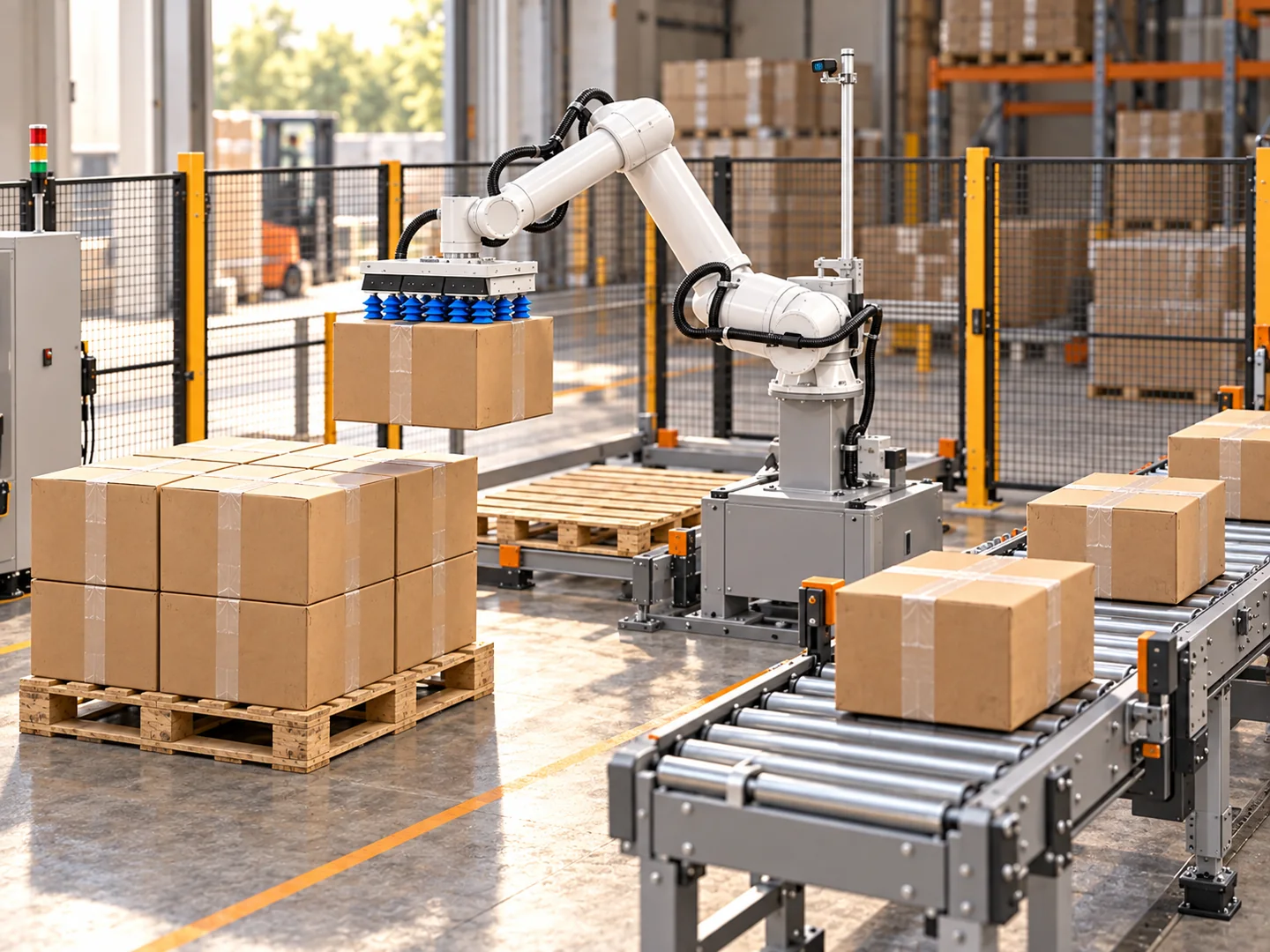
A robotic palletizing cell combines a robot, gripping tool, controlled carton infeed and pallet receiving positions. Designing it means specifying the complete path of a box, including the work required before the pick and after the finished pallet.
For an inbound warehouse project, decide whether cartons arrive from container unloading, a sorting line or another process. That arrival pattern determines the cell’s preparation, buffering and product-identification requirements.
Draw the carton route first
Start with the intended finished pallet: carton pattern, maximum height, load restrictions, identification and removal route. Work backwards to the pick position. A robot’s reach drawing is only one part of the cell layout.
- Prepare the infeedIdentify the carton, establish its pick position and hold it until the receiver is available.
- Pick and placeValidate grip, loaded motion, release and withdrawal at the required pallet positions.
- Clear the palletComplete any inspection or wrapping and remove the load before the next build.
Mark each step on a scaled site plan. Include conveyors, pallet tolerances, service access and the routes used by people and pallet-handling equipment. Assess the complete application before deciding its protective measures.
Choose the infeed arrangement
A single infeed can simplify carton presentation when one known product arrives in sequence. Multiple infeeds can serve different products or lines, but require a decision about priority, accumulation and which carton is released next.
Pearson’s multiple-infeed application is an official example of a cell receiving cases from three conveyors and serving two pallets. It illustrates a layout category rather than a specification for your project.
Ask whether a carton can stop reliably at the pick point, whether its label remains visible and how a damaged or unidentified box leaves the normal sequence. A robot should not have to compensate for undefined carton presentation.
Specify the gripper with the robot
Document the largest and smallest filled cartons, maximum mass, board strength, accessible faces and required pickup orientation. Include tool mass, adapter plates and attachments in the loaded robot calculation.
Compare vacuum gripping, side clamps and bottom support against both pickup and placement. A tool may fit the infeed but lack clearance to release at a tight pallet corner. Use the palletizing gripper guide and payload calculation worksheet before selecting the robot.
Plan pallet replacement and temporary buffers
One pallet position can be sufficient if the operation tolerates stops for pallet replacement. Two positions may allow a different operating sequence, but require enough room and an assessed way to exchange pallets while the application operates.
A buffer absorbs a temporary interruption. It does not make a permanently slower cell match a faster upstream process. Record what happens when every available pallet position is full or the receiver cannot accept the next carton.
Use the line-capacity worksheet to distinguish active cycle time from scheduled output, pallet replacement and exceptions.
Measure the complete compact or movable cell
A compact palletizer still needs an operating envelope for the infeed, lowest and highest placements, tool withdrawal, empty-pallet entry and finished-load removal. Compare scaled layouts with those areas included instead of comparing only the robot base dimensions.
| Layout question | Record on the drawing | Check in the application |
|---|---|---|
| Full pallet coverage | Pick point, pallet corners and maximum load height | Loaded access, release and withdrawal at limiting positions |
| Pallet exchange | Waiting pallet, collection point and transport approach | How the next pallet becomes available without losing the receiving route |
| Shared production space | Other lines, access and accumulation positions | Whether both operations can use their reserved space at the same time |
| Relocation between stations | Travel route, utilities and positioning references | Move, reconnect, align and restart procedure for each station |
Mobile can mean manually moved, remotely positioned or autonomously travelling. State which movement is supplied and measure the work needed to resume production at the second station. A mobile platform does not by itself establish unattended changeover between lines.
For a KRONA carton-palletizing assessment, provide the prepared carton source and both station drawings if relocation is required. Include the finished-pallet transport route in the layout; the vehicle’s task begins after the load is released for collection.
Give the integrator a complete cell brief
Once the layout and output are defined, use the palletizing robot cost checklist to compare quotations against the same complete-cell scope.
| Part of the brief | Inputs to record | Acceptance evidence |
|---|---|---|
| Cartons | Filled size, mass, surface, SKU mix and arrival sequence | Representative transported samples |
| Infeed | Pick position, orientation, arrival rate and reject route | Recorded presentation and queue behaviour |
| Tool and robot | Tool mass, loaded centre of gravity, reach and clearance | Manufacturer load data and application validation |
| Pallets | Dimensions, tolerances, patterns, height and replacement | Completed example loads and exchange timing |
| Integration | Receiving permissions, stops, faults and recovery ownership | Agreed interface sequence and commissioning records |
| Output | Sustained cartons/hour, interruptions and residual labour | A test window with consistent start and finish points |
Fill the table with observations and agreed requirements. Leave unconfirmed controller protocols, throughput and utilities marked for supplier review.
Connect container unloading to the downstream cell
Floor-loaded carton extraction and pallet building are separate jobs. Container unloading may produce cartons in the order they are accessible, while a palletizing cell may need a particular product sequence. A scanning, sorting or accumulation step can therefore belong between them.
KRONA U1 handles eligible closed cardboard boxes with conveyor or pallet transfer. For a standalone carton-palletizing application, assess the infeed, all required pallet positions, accepted pattern and exchange sequence as a declared job. Direct pallet placement alone does not establish arbitrary mixed-case pattern optimisation.
Use the unloading handoff guide to choose the receiving route. Send the infeed assumptions, carton mix and proposed cell layout through the integrator project brief so extraction and downstream requirements can be assessed together.
- palletizing
- system integration
- cardboard cartons
KRONA U1 unloads boxes from containers onto pallets or conveyors and also loads containers with boxes from pallets or conveyors. Explore KRONA U1 →
Assess your carton palletizing layout