
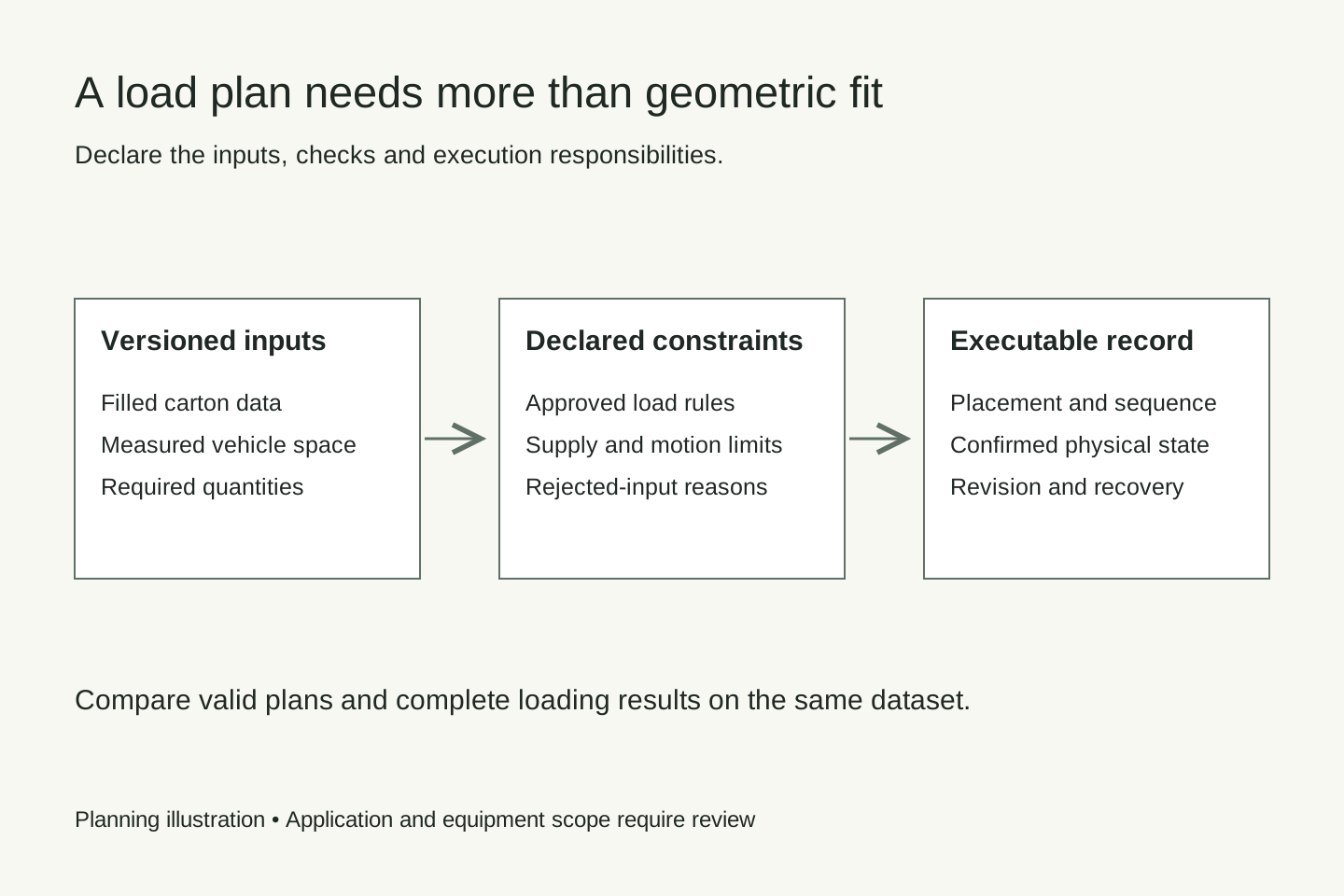
A dense 3D arrangement is one part of a container loading plan. The plan also has to respect the cartons, vehicle, available feed sequence and placement method. Before comparing loading software, write down which constraints it must enforce, which system owns each decision and how the physical load is confirmed.
For a mixed-SKU load, each stock-keeping unit can bring a different carton size, mass, orientation or packaging rule. A solver that treats all rotations as available may produce an attractive arrangement that the packaging owner cannot accept. A plan that assumes every carton is immediately accessible can also be unusable on the actual loading line.
Use the editable loading requirements matrix to record the requirement, its owner, supplier response and evidence. Classify each response as supported, requires testing, requires development or excluded. Leave unverified requirements visibly unresolved.
Separate the three decisions
Start by distinguishing geometric fit, load suitability and execution. Geometric fit checks whether the modeled objects overlap or exceed the modeled space. Load suitability concerns the approved support, packaging, mass distribution and transport requirements. Execution concerns whether the people and equipment can build the load in the proposed order.
| Decision | Inputs to establish | Evidence to request |
|---|---|---|
| Geometric fit | Filled dimensions, permitted rotations, vehicle space and reserved clearance | Input version and placement coordinates |
| Load suitability | Support and crush limits, approved mass distribution and restraint requirements | Rule owner and application review |
| Execution | Available cartons, supply order, gripping access, reach and temporary holding | A sequence that the actual equipment can perform |
Agree which software or responsible party makes each decision. A load planner, warehouse management system and robot controller can share the work, but an unassigned check remains a gap. A geometric preview should not silently stand in for a transport or equipment assessment.
Define the carton data and its version
Use measured, filled-carton length, width, height and mass, including the packaging version. Record the unit of measurement and how the dimensions were obtained. A catalog size can differ from a filled carton because of bulging, tape or a changed pack configuration.
Define allowed orientations explicitly. “This side up” is different from unrestricted rotation. Record any restrictions on gripping faces, placement orientation and label presentation, even when another part of the system rather than the planner checks them.
Packaging support and crush limits must come from an accountable source. Do not infer that a small or heavy carton is suitable as a base merely from its dimensions or mass. Define what is unknown, who will supply the information and how the planner handles that missing input.
Retain a profile reference and revision with the plan. If carton B changes size after a plan is issued, the system needs to distinguish the earlier approved profile from the observed carton. Decide whether the response is a hold, rejection or a revised plan based on accepted data.
Model the vehicle and loading access
Measure the usable internal space and door opening separately. Include intrusions, floor conditions, thresholds and any space reserved for the agreed loading or restraint method. A nominal container designation is useful for discovery, but it is not a complete model of the vehicle presented for loading.
Record the placement coordinate system: origin, axes, units and rotation convention. State whether coordinates describe a carton corner, its center or the tool reference. These definitions must be translated consistently when the plan reaches the loading equipment.
Check equipment access throughout the sequence. A target position inside the geometric envelope can still be unreachable once earlier cartons are placed. Tool clearance, approach and withdrawal, robot position, conveyor location and the door header all belong in the application review.
For trucks, provide approved load-distribution and axle constraints for the actual vehicle and route. If the truck serves multiple destinations, specify the unloading order and the acceptable handling between stops. Do not treat one aggregate payload value as a substitute for those requirements.
Distinguish hard constraints from preferences
A hard constraint defines an unacceptable outcome, such as an unapproved carton orientation or a placement outside the allowed envelope. A preference ranks otherwise acceptable alternatives, such as keeping a customer’s cartons near one another or reducing sequence changes.
Write down the priority order before comparing results. Maximizing occupied volume, minimizing vehicles, reducing rehandles and shortening loading time are different objectives. A result with better geometric utilization may require more waiting or preparation at the dock.
TOPS’ MaxLoad description illustrates supplier-defined orientation, stacking, stop-off and loading rules. Use a supplier’s actual documented functions as comparison evidence; agree the precise rule and configuration required for your application.
Match the plan to available cartons
Known-order planning begins with a declared carton set. It may ask upstream storage, a depalletizing process or operators to supply the chosen order. Confirm that this order can actually be provided within the intended time and space.
Live-arrival planning decides with a more limited set of available cartons. Specify how much future supply is known, which waiting cartons can be retrieved and when the plan may change. A buffer that can hold cartons in a queue is not necessarily able to retrieve any desired carton.
The mixed-SKU worked loading plan traces the same carton set through a changed supply order. The outbound sequence guide separates positions used to reorder cartons from capacity reserved for a temporary stop.
Specify confirmation and interrupted moves
Tie each proposed placement to a stable move reference, carton identity, destination and plan revision. Define what the equipment’s responses mean: accepting a command, starting a move and confirming a placement are different events.
If a carton is physically placed but the response is lost, repeating the instruction must not be treated as proof that another carton was added. Resolve the actual physical state and move reference before updating the completed-load record. Name the cases that need operator verification.
A partially completed load constrains replanning. Distinguish confirmed placements from pending ones and explain whether the system may move cartons already placed. The adjacent robot-conveyor handshake guide helps define release and acceptance at the transfer point.
Compare software with the same test pack
Give candidate suppliers identical carton profiles, quantities, vehicle geometry and declared rules. Include an ordinary load, a deliberately invalid input, a constrained orientation and a changed or missing carton. Require the output to show why an input or placement is rejected rather than silently relaxing a requirement.
Compare valid-plan rate, planning time, reported utilization, rehandles, waiting positions and execution results separately. State which values were calculated and which were measured on equipment. Preserve the software version, settings and dataset so another reviewer can reproduce the comparison.
Online planning products such as EasyCargo and LoadOptimizer provide starting points for evaluating planning outputs. A feature list or rendered load remains supplier evidence; it does not establish support for your robot or complete loading process.
Bring the requirements into the loading project
The IMO CTU Code overview describes guidance for packing and securing cargo transport units. Use the responsible packaging and transport specialists to establish the actual load rules. This checklist does not approve a shipping pattern.
KRONA U1 loads containers with boxes supplied from pallets or conveyors. Mixed-SKU optimization and third-party software connections require a separately agreed integration scope. Bring the completed requirements matrix, representative carton data and vehicle details to a loading-system assessment.
- container loading
- loading optimization
- mixed SKU
- system integration
KRONA U1 unloads boxes from containers onto pallets or conveyors and also loads containers with boxes from pallets or conveyors. Explore KRONA U1 →
Discuss loading requirements